Features of runtables
Administrator Area
At a glance...
- - Comprehensive dashboard for real-time insights
- - Manage company profiles and system settings
- - Detailed analytics and reporting tools
- - Robust menu management capabilities
- - Efficient order and table management
- - Reservation handling and tracking
- - Data import/export and backup options
- - Extensive system administration features
Company & System Management
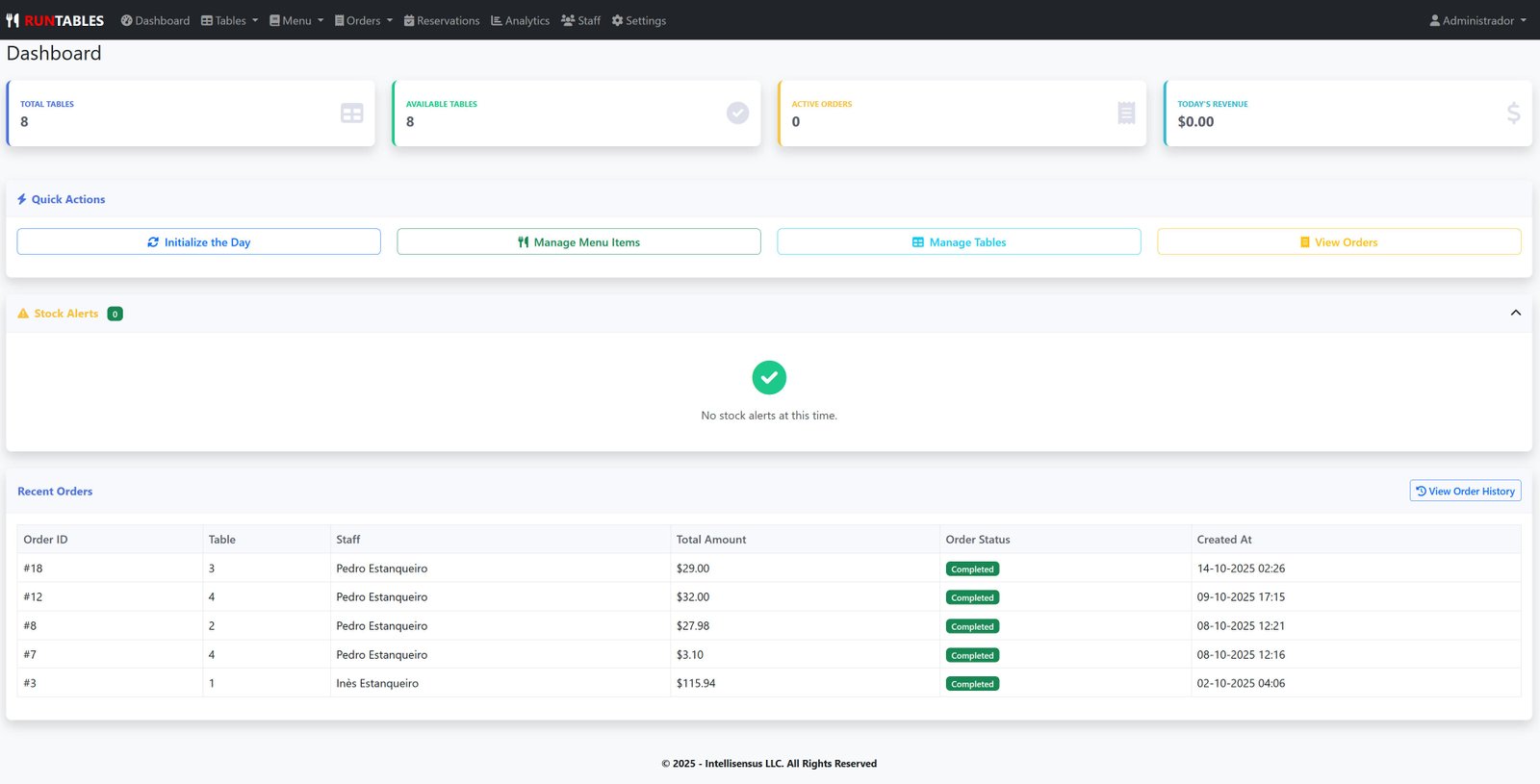
- - Dashboard Overview - Real-time insights into orders, revenue, and performance
- - Quick Access Links - Fast navigation to key sections
- - Recent Activity Feed - Monitor latest orders and reservations
- - Performance Metrics - Visual charts for sales and staff performance
- - Company Profile Management - Update restaurant information, contact details, branding
- - System Settings Configuration - Currency, timezone, date/time formats, language settings
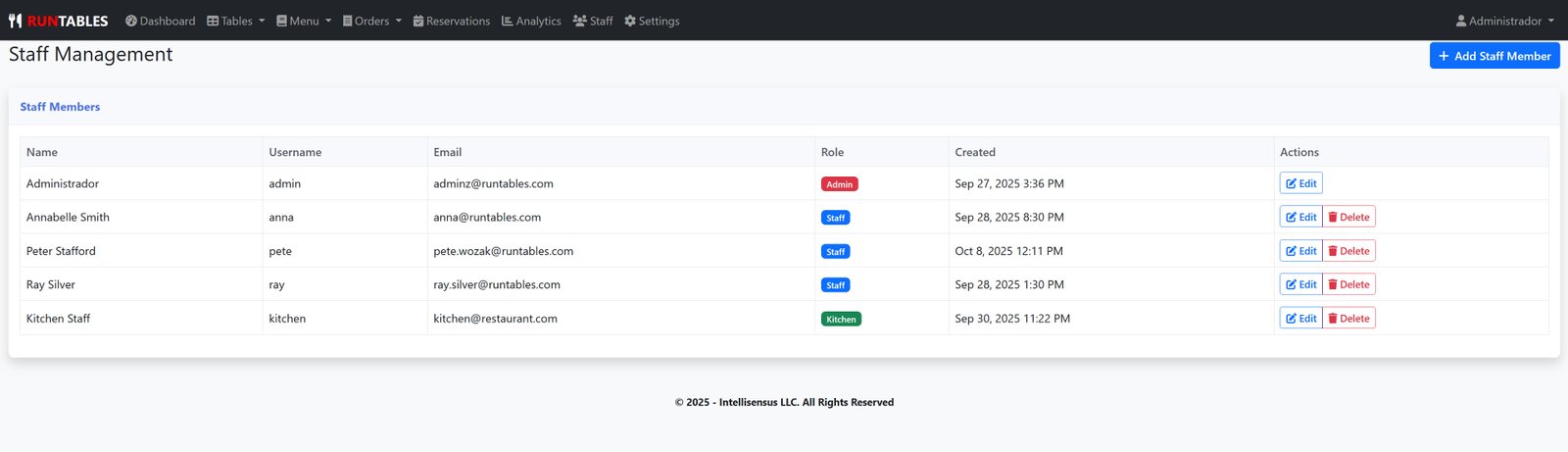
- - User Management - Create, edit, and manage staff accounts with role-based permissions
- - Subscription Management - View and manage subscription plans and billing
- - Multi-tenant Architecture - Complete company isolation and data security
Analytics & Reporting
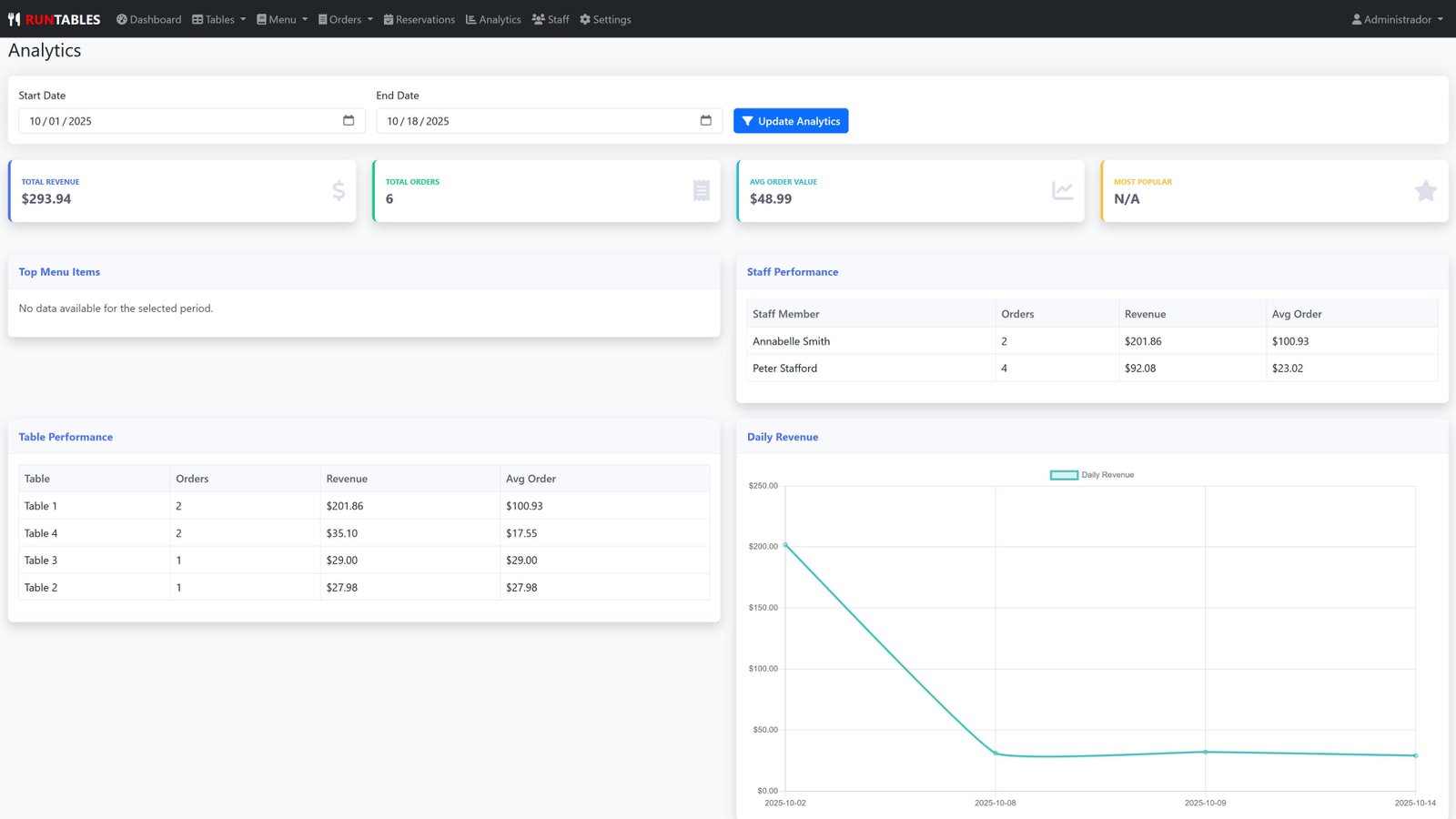
- - Revenue Analytics - Daily, weekly, monthly revenue tracking with date range filtering
- - Top Menu Items Analysis - Best-selling items with quantity and revenue metrics
- - Staff Performance Reports - Order counts, revenue per staff member, average order values
- - Order Statistics - Comprehensive order tracking and analysis
- - Visual Charts & Graphs - Interactive data visualization for business insights
Menu Management
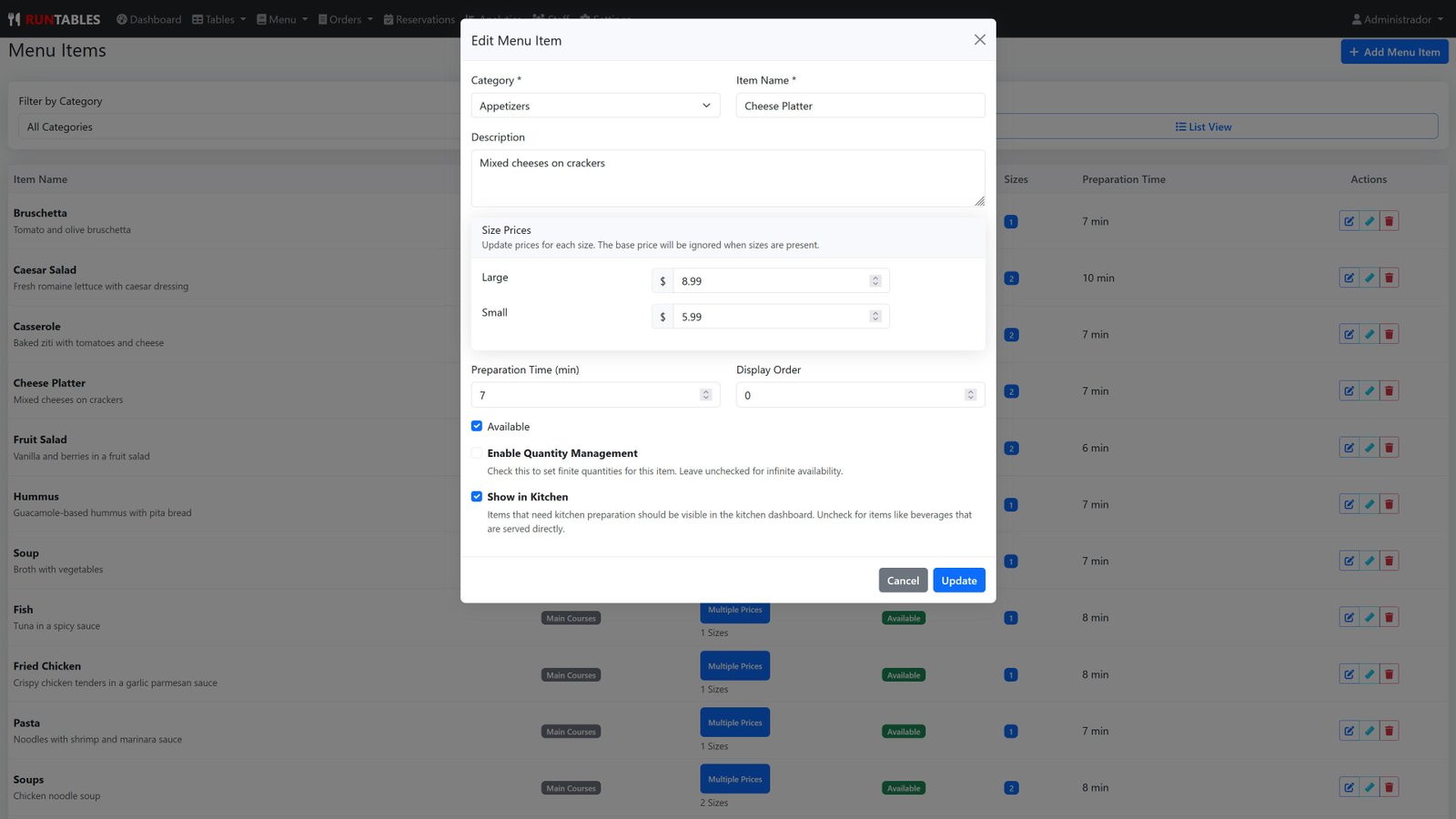
- - Menu Items Management - Create, edit, delete menu items with full CRUD operations
- - Menu Categories - Organize items into categories with custom ordering
- - Item Availability Control - Toggle item availability individually or in bulk
- - Kitchen Visibility Settings - Control which items appear in kitchen workflow
- - Item Sizes & Variations - Multiple size options with different pricing
- - Preparation Time Tracking - Set and manage cooking times for each item
- - Quantity Management - Stock tracking with low-stock alerts and limits
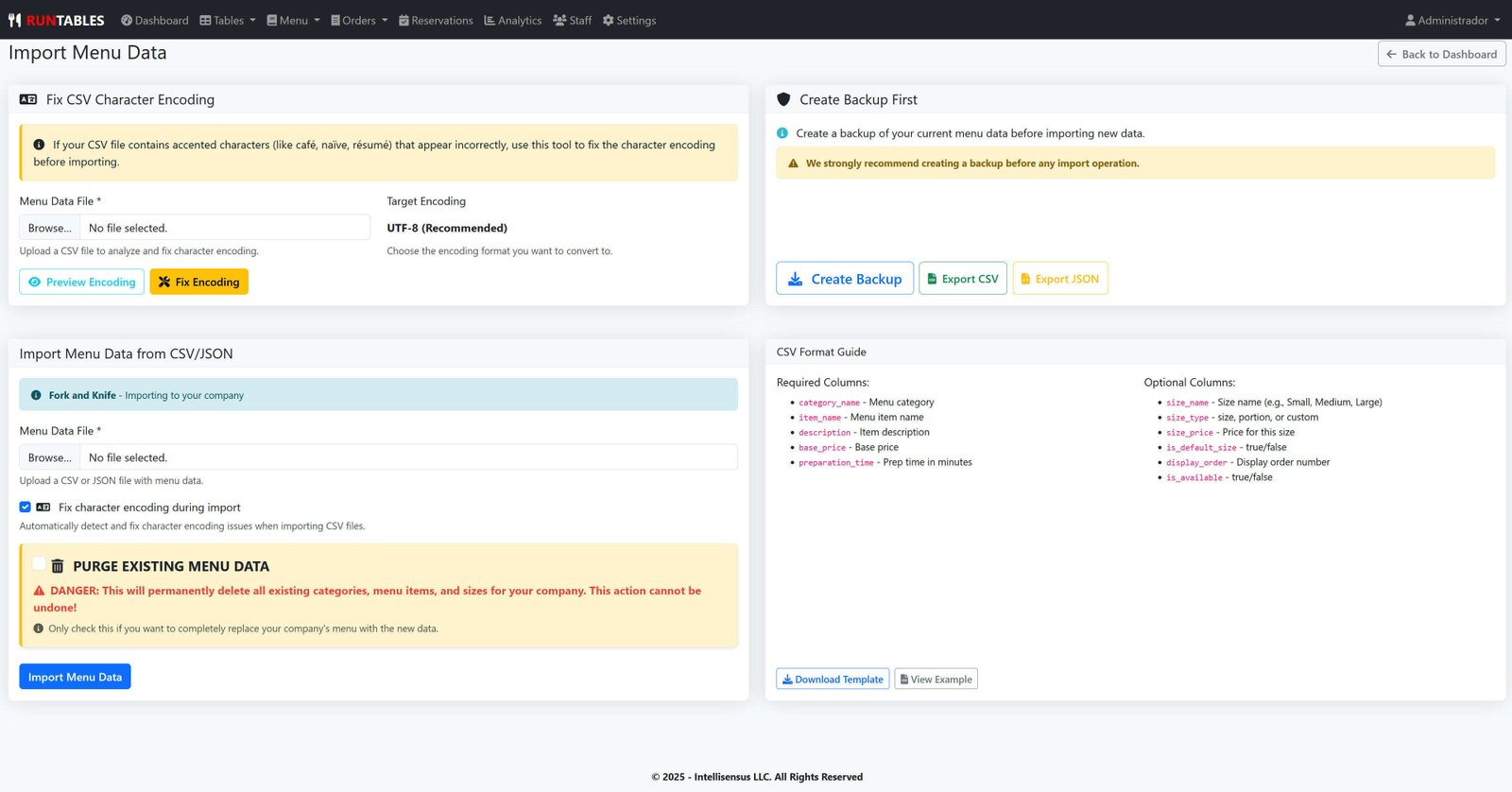
- - Menu Import/Export - CSV and JSON import/export with backup functionality
Order Management
- - Comprehensive Order Management - View, manage, and process all restaurant orders
- - Order Status Management - Update order statuses (active, completed, cancelled)
- - Order History - Complete historical order tracking with filtering
- - Order Filtering - Filter by status, date, table, staff member
- - Order Details - Comprehensive order information and item details
Table Management
- - Table Configuration - Create, edit, and manage restaurant tables
- - Table Status Management - Available, occupied, reserved, cleaning statuses
- - Table Capacity Settings - Set seating capacity for each table
- - Table Location Management - Organize tables by location/area
- - Table Initialization - Reset all tables to available status with reservation honoring
Reservation Management
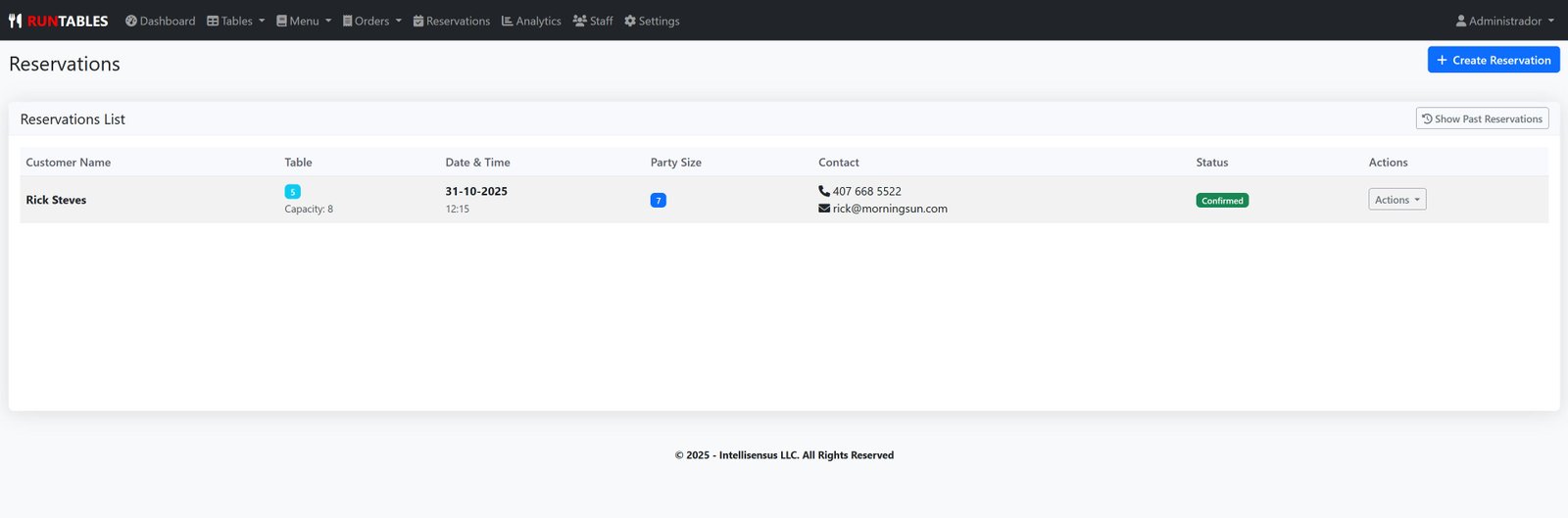
- - Reservation System - Complete reservation booking and management
- - Date & Time Selection - Advanced dropdown calendar and time picker
- - Party Size Management - Handle different group sizes
- - Reservation Status Tracking - Confirmed, cancelled, completed reservations
- - Reservation History - Historical reservation data and analytics
Data Management
- - Data Import/Export - CSV and JSON format support
- - Data Backup - Automatic and manual backup creation
- - Template Downloads - Pre-formatted templates for easy data entry
- - Bulk Operations - Mass updates and data manipulation
- - Data Validation - Comprehensive data integrity checks
System Administration
- - Settings Management - Configure all application settings
- - Order Limits - Set and manage order quantity limits
- - Notification Settings - Configure alerts and notifications
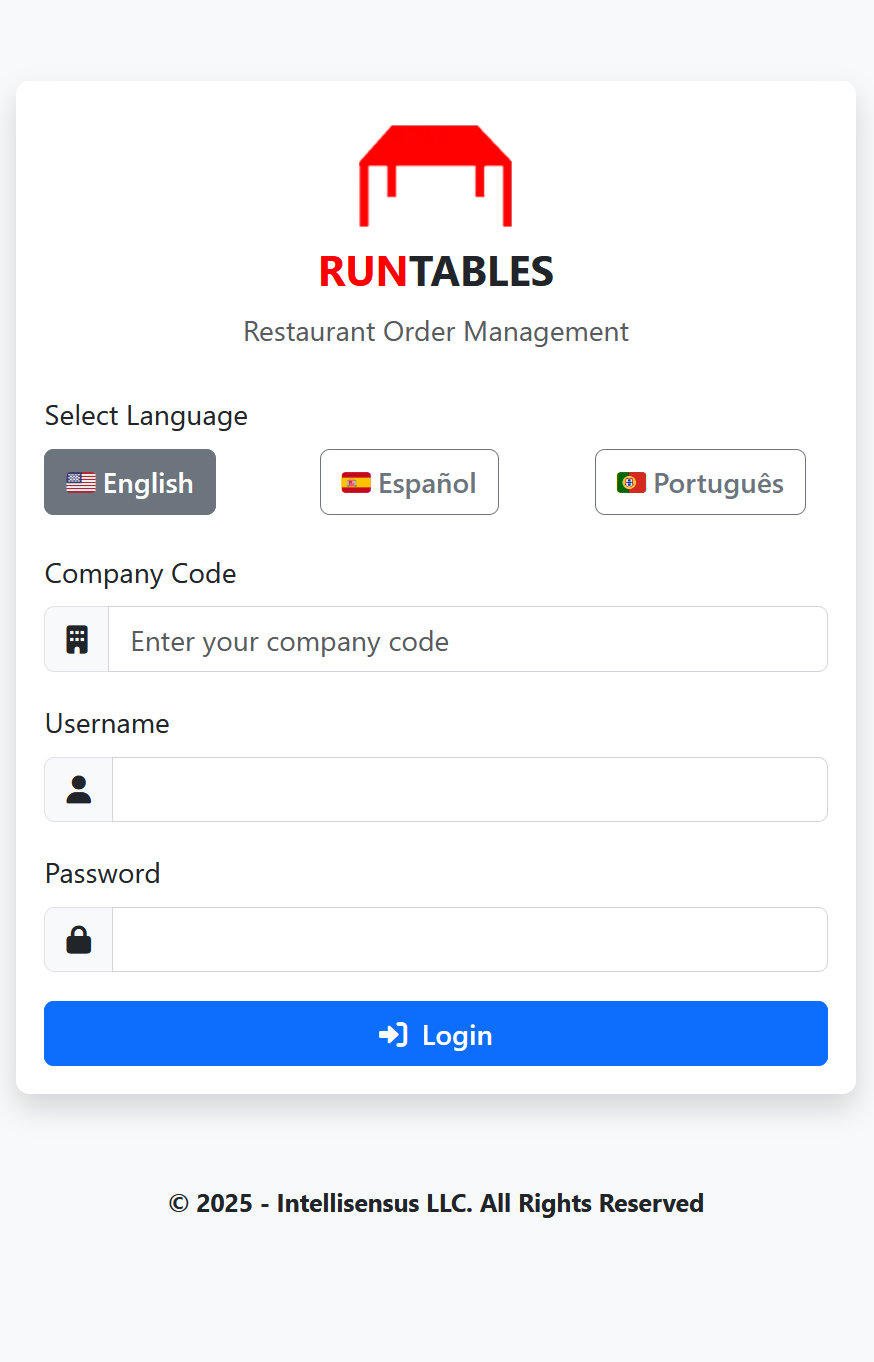
- - Language Support - Multi-language interface (English, Spanish, Portuguese)
- - Theme Customization - Brand colors and appearance settings
Staff Features
At a glance...
- - Intuitive order taking and management
- - Real-time menu browsing with availability
- - Efficient table management and tracking
- - Personal performance dashboard
- - Seamless communication with kitchen staff
Order Management
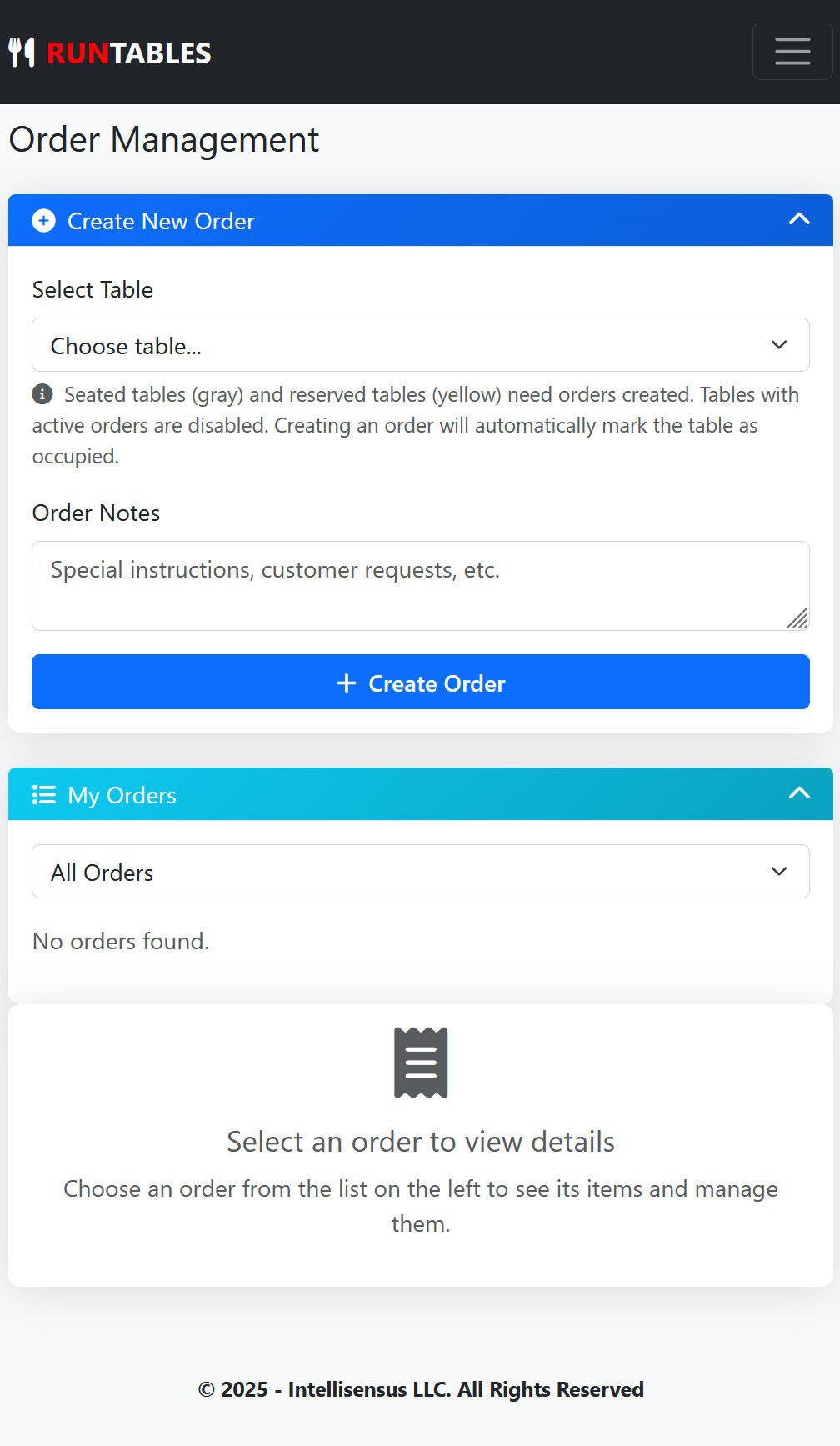
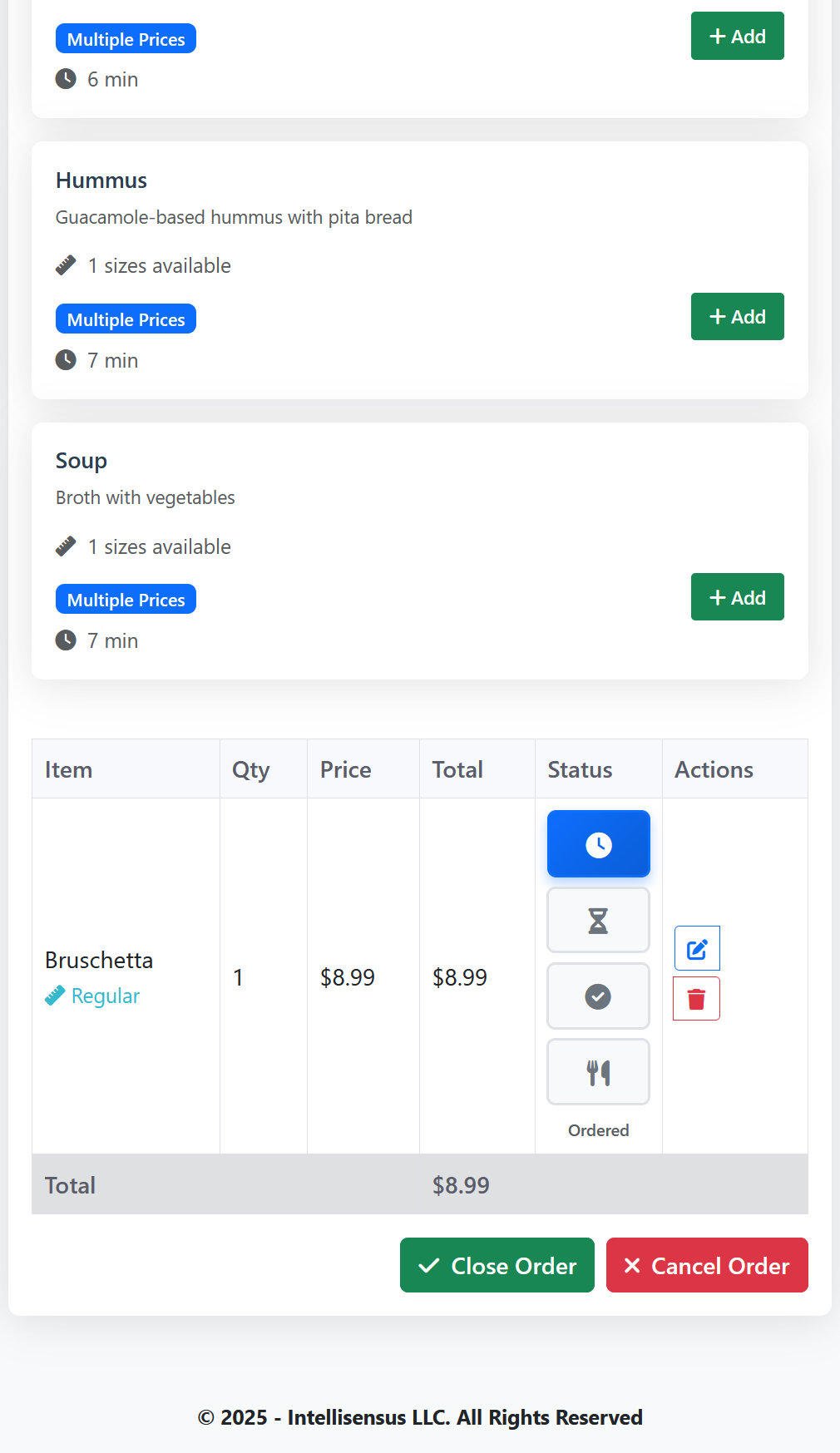
- - Order Creation - Create new orders for tables with notes and special requests
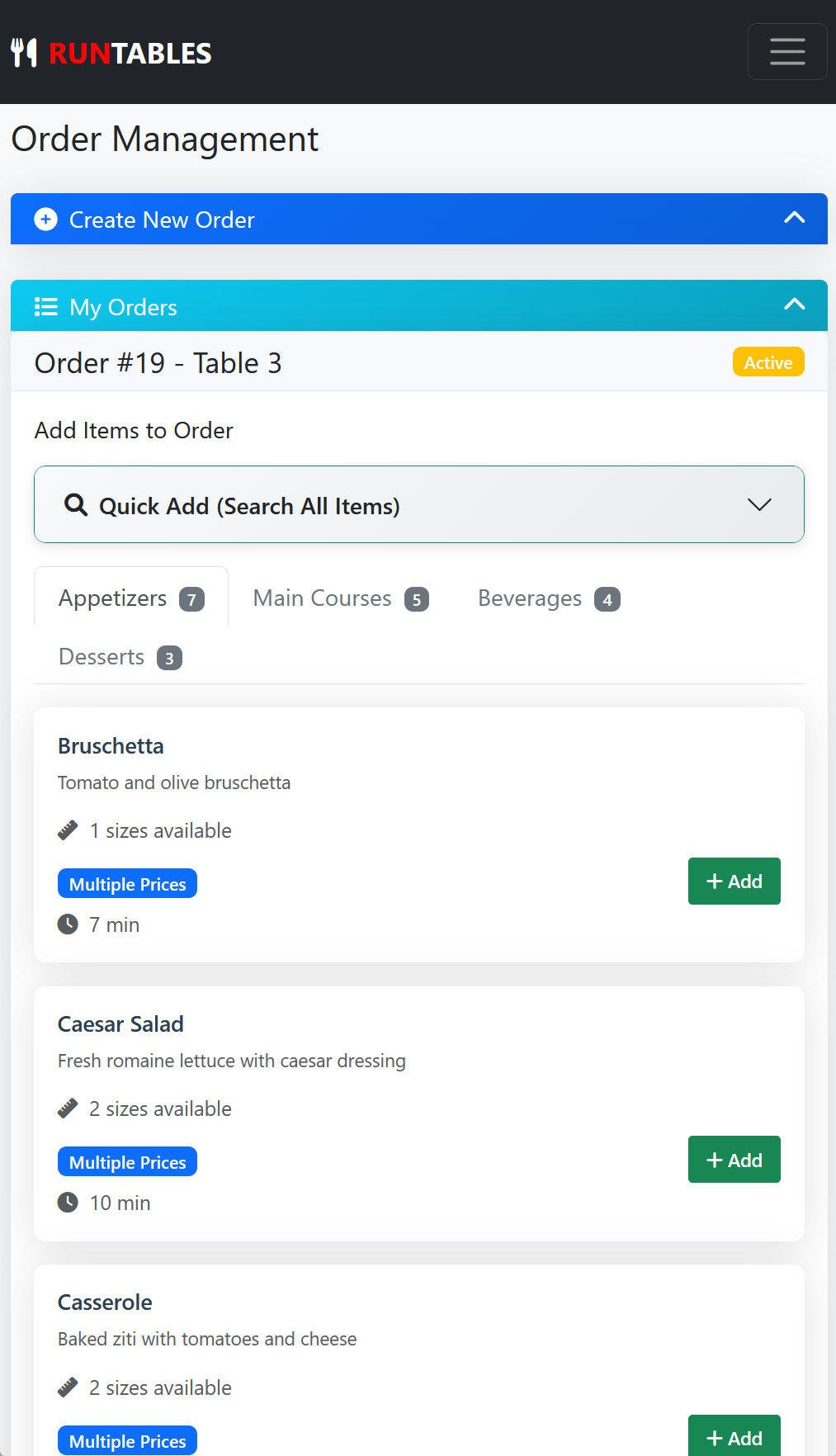
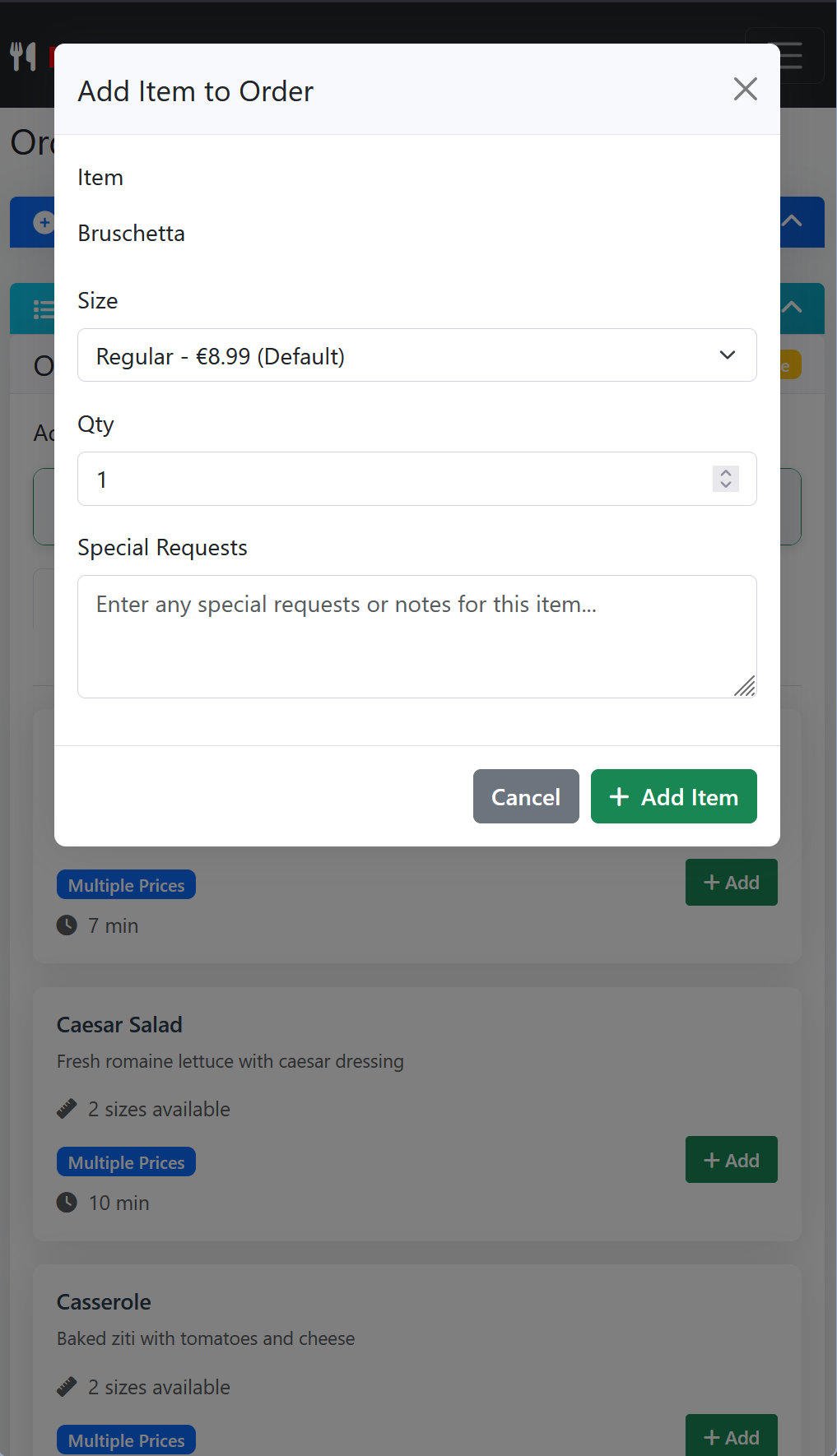
- - Order Item Management - Add, edit, and remove items from orders
- - Order Status Updates - Update order status (ordered, waiting, ready, served)
- - Quick Status Changes - One-click status updates for efficiency
- - Order Cancellation - Cancel orders with reason tracking
- - Order Filtering - Filter orders by status, date, table, personal orders
- - Order History - View personal order history with filtering
Menu Interaction
- - Menu Browsing - View available menu items with real-time availability
- - Item Details - View item descriptions, prices, and preparation times
- - Size Selection - Choose from available item sizes and variations
- - Special Requests - Add custom notes and special instructions
- - Availability Checking - Real-time stock and availability status
Table Management
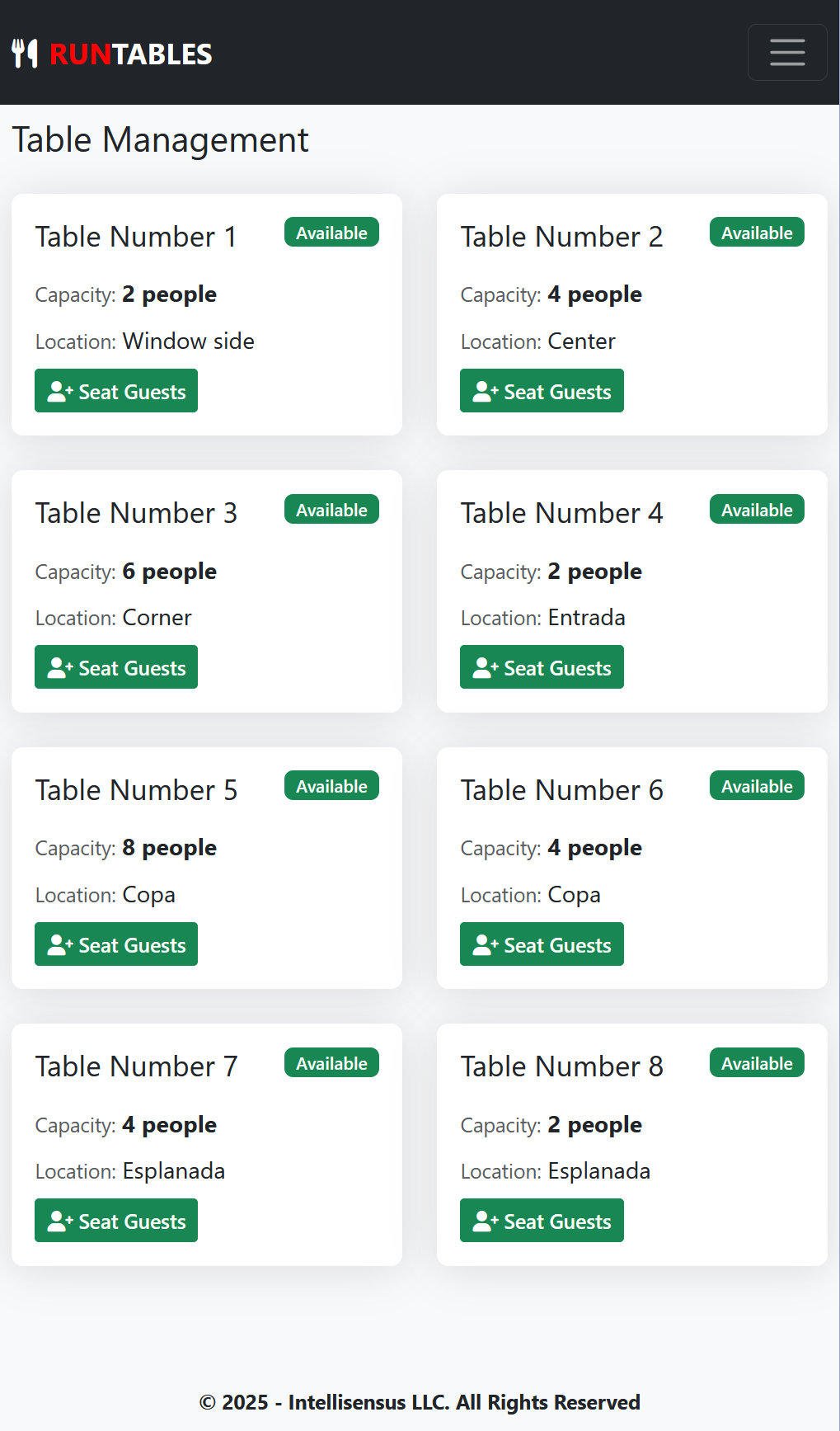
- - Table Status View - See all table statuses and availability
- - Table Selection - Choose appropriate tables for orders
- - Table Information - View table capacity and location details
- - Active Order Tracking - Monitor which tables have active orders
Personal Dashboard
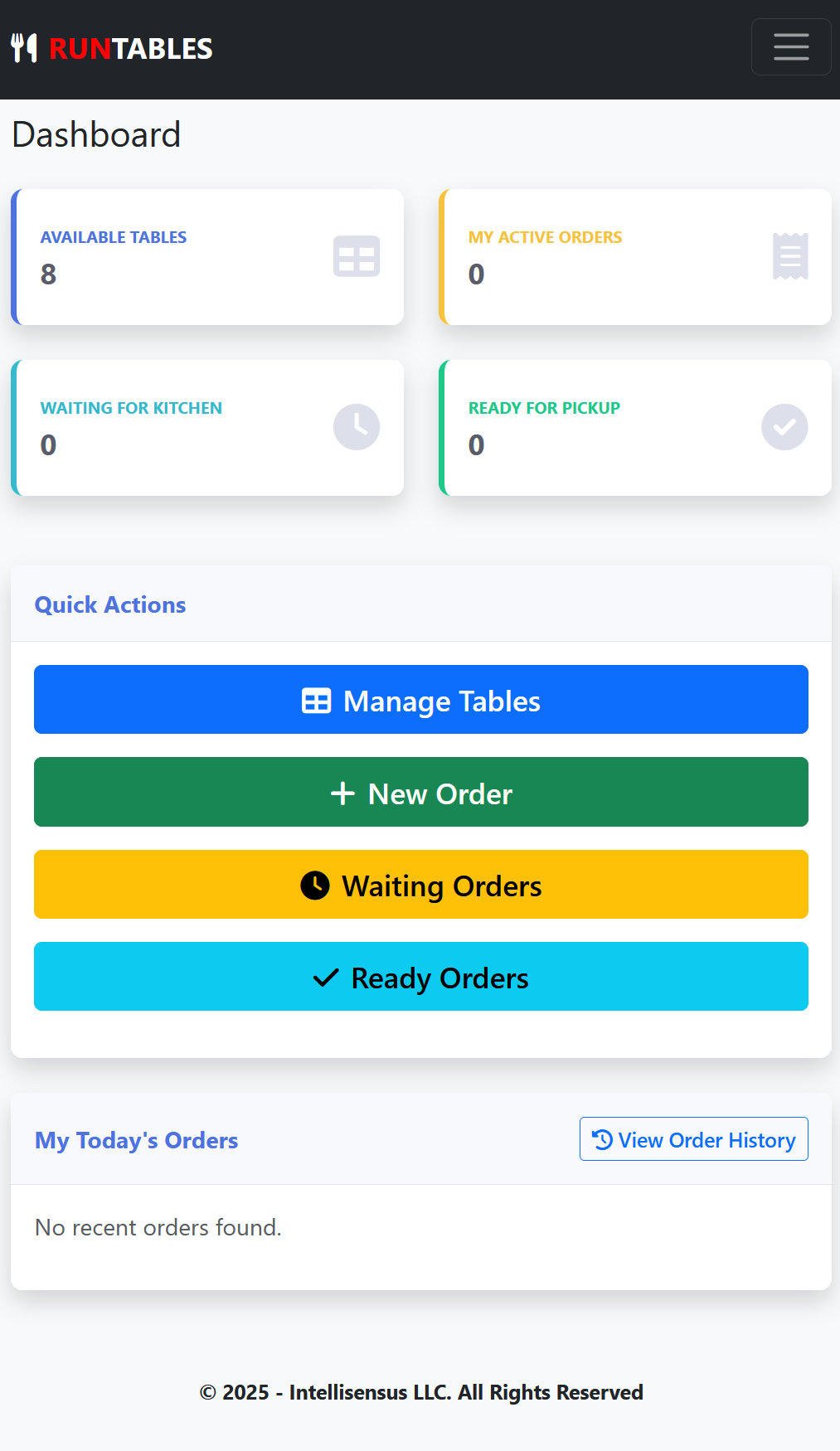
- - Order Statistics - Personal order counts and performance metrics
- - Recent Orders - Quick access to recent order history
- - Performance Tracking - Personal sales and order statistics
- - Quick Actions - Fast access to common tasks
Communication
- - Kitchen Notes Visibility - View kitchen staff notes and feedback
- - Special Request Handling - Process customer special requests
- - Order Notes - Add and view order-level notes and instructions
Kitchen Features
At a glance...
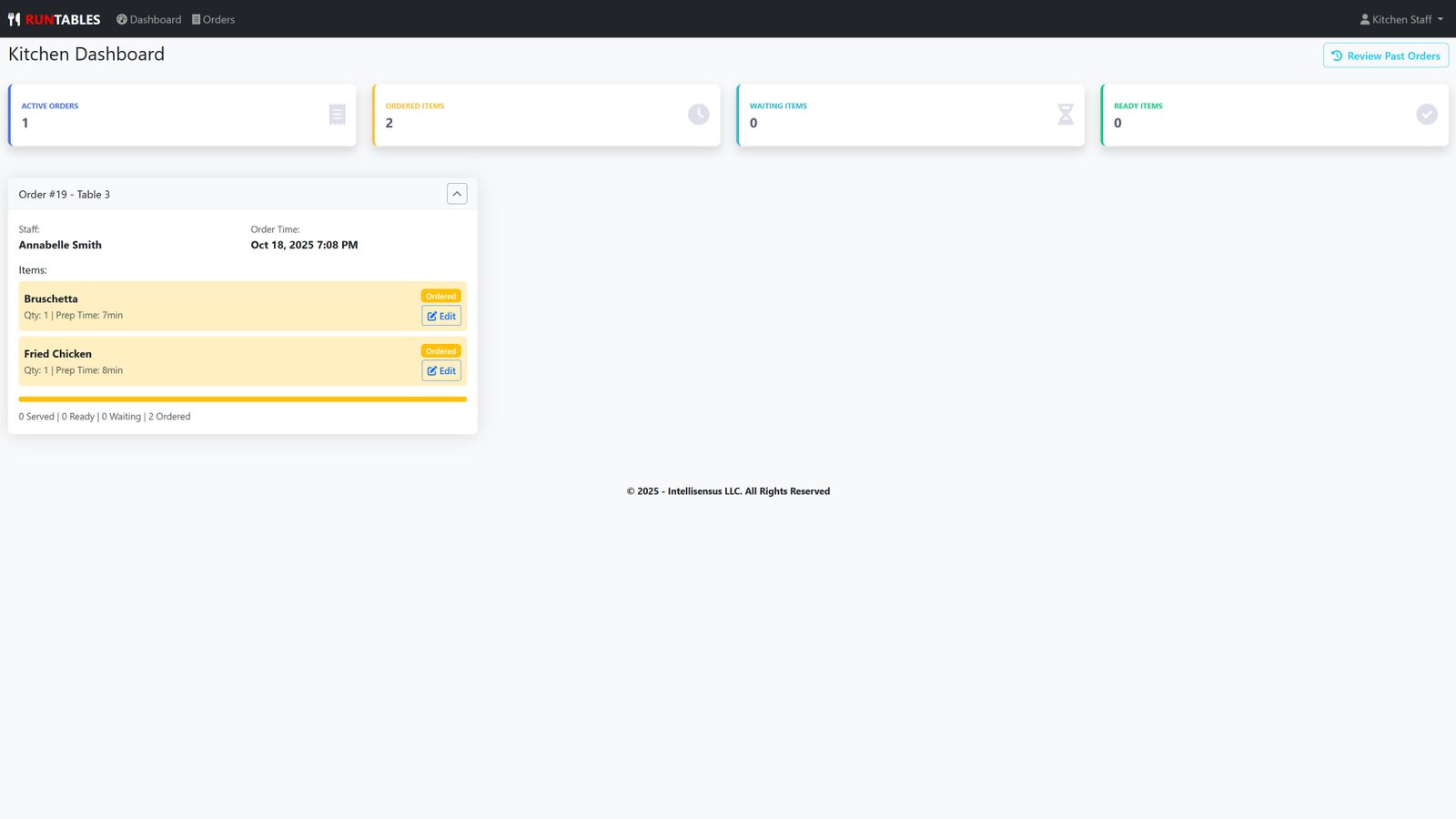
- - Streamlined order processing workflow
- - Real-time order status updates
- - Efficient kitchen communication tools
- - Visual order management with progress tracking
- - Comprehensive kitchen analytics and reporting
Order Processing
- - Active Order Management - View and manage all active orders
- - Item Status Updates - Change item status (ordered, waiting, ready, served)>
- - Quick Status Changes - One-click status updates for efficiency
- - Kitchen Notes - Add notes and feedback for staff communication
- - Bulk Operations - Mark all items in an order as ready simultaneously
- - Order Filtering - Filter by kitchen-visible items only
- - Order History - View historical orders with filtering
Kitchen Dashboard
- - Real-time Statistics - Active orders, ordered items, waiting items, ready items
- - Order Cards - Visual order management with collapsible cards
- - Progress Tracking - Visual progress bars for order completion
- - Kitchen Workflow - Streamlined preparation workflow
Order Status Management
- - Status Transitions - Move items through preparation stages
- - Timestamp Tracking - Automatic preparation start and completion times
- - Kitchen Communication - Two-way communication with staff
- - Order Prioritization - Visual indicators for order urgency
User Interface
- - Collapsible Order Cards - Space-saving interface for busy periods
- - Visual Status Indicators - Color-coded status system
- - Quick Actions - Fast status updates and bulk operations
- - Responsive Design - Works on tablets and mobile devices
Kitchen Analytics
- - Past Orders Review - Historical order analysis and patterns
- - Performance Metrics - Kitchen efficiency and timing statistics
- - Order History - Complete order tracking and review capabilities
General Features
Multilingual Support
- - Language Support - English, Spanish, Portuguese
- - Localized Content - Currency, date, and time formatting
User Experience
- - Responsive Design - Mobile, tablet, and desktop optimization
- - Modern UI - Mobile-based clean interface
- - Custom Themes - Brand color customization
Security & Data Protection
- - Role-based Access Control - Admin, Staff, Kitchen user roles
- - Company Data Isolation - Complete multi-tenant security
- - Session Management - Secure user authentication
- - Automatic Backups - Regular data backup creation
- - Data Export - CSV and JSON export capabilities
- - Data Import - Safe data import with validation
- - Audit Trails - Complete action logging and tracking
SUMMARY
This comprehensive restaurant management system provides complete operational control for restaurants, from order taking to kitchen management, with robust analytics, multi-language support, and enterprise-grade security. The system is designed to handle the complete restaurant workflow while maintaining data integrity and providing excellent user experience across all user roles.